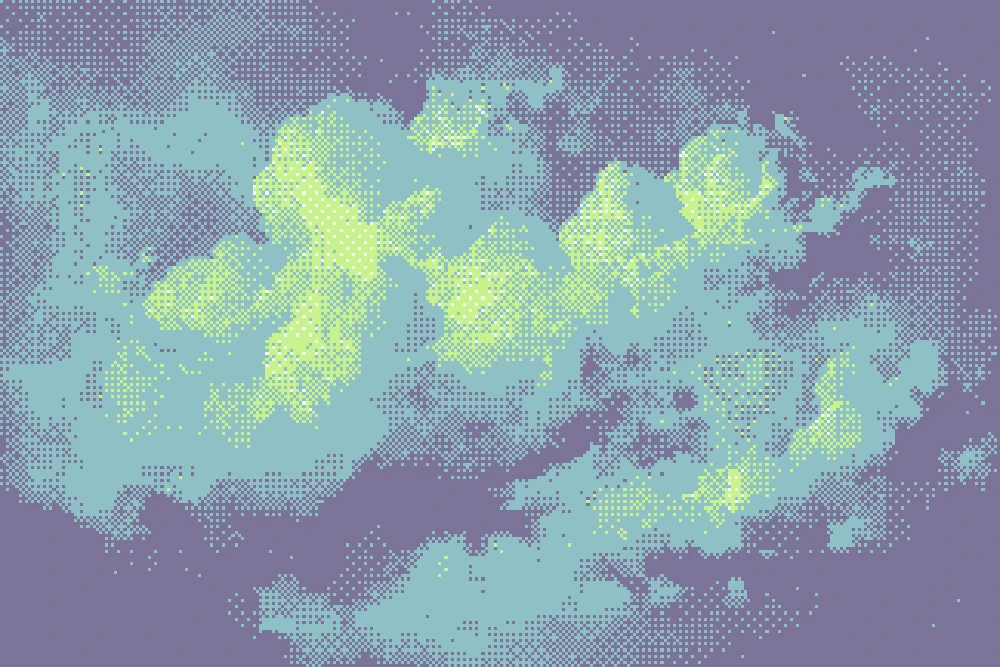
Dithering draws smooth tones with only a few colors. Instead of a gray, you get a pattern of black and white dots that reads as gray from a distance. It is the look of old computer screens, early games and cheap print, and it still works great on posters and music videos.
Two kinds of dithering
- Ordered dithering compares each pixel with a fixed pattern. It gives the clean, regular crosshatch you know from retro games. In Dasca this is the Dither effect.
- Error diffusion passes the rounding error of each pixel to its neighbours. It gives organic, grainy patterns that keep more photo detail. In Dasca this is the Error Diffusion effect.
Try both on the same picture. Ordered feels graphic, error diffusion feels photographic.
Add a dither effect
- Open your image or video in Dasca.
- In the Effects library, search for Dither and click it.
- Press C to switch between the result and the original.
The default is a black and white Bayer pattern.
Pick the pattern
Matrix decides the pattern. A few good starting points:
| Matrix | Looks like |
|---|---|
| Bayer 4×4 or 8×8 | Classic retro computer crosshatch. |
| Halftone Dot | Round print dots. |
| Horizontal Lines | A TV or engraving screen. |
| Crosshatch | A pen drawing. |
Set Method to Noise with Blue Noise for a soft, random grain without any visible grid.
Pick the colors
- Palette snaps every pixel to a fixed set of colors. Start with 1-bit for pure black and white, Pocket for four greens like an old handheld, or CGA for cyan and magenta.
- Color Mix sets how many palette colors can mix in one area. 2 gives clean two-color patterns, higher blends more smoothly.
- You can make your own palette or paste hex codes from your brand colors.
Get the size right
Pixel Size changes the feel more than anything else. Small values look like fine print, large values look like chunky pixel art. The size stays the same at any export resolution, so what you see is what you export.
If the picture turns to mud, raise Contrast or use Sharpen before the dots are drawn.
Error diffusion for photos
Switch to Error Diffusion when you want faces and detail to survive.
- Floyd-Steinberg is the standard, balanced look.
- Atkinson is brighter and higher contrast, the look of early Mac pictures.
- Jarvis and Stucki are the smoothest.
Set Resolution to Native to dither every pixel of the image, like the classic algorithms do.
Animate it
On Dither, turn on Animate to make the pattern move, which gives video a living grain. Any slider can also be keyframed, for example Pixel Size growing from fine to chunky.
Go further
- Use Pixelate when you want big flat pixels without a pattern.
- See every control in the dither docs.
- Export as MP4 or GIF, or as a PNG sequence for editing.